Reduce missing information
Use guided fields to record the design, fabric, fit, colour, size range, labels, artwork and manufacturing notes that might otherwise be spread across emails and chat messages.

FREE APPAREL PRODUCT DEVELOPMENT TOOL
Create a clear, professional garment tech pack for your clothing brand. Organise front and back designs, measurements, fabrics, colours, trims, labels, artwork placements, construction notes and packaging requirements in one guided document.
The builder helps structure your product information. Measurements, grading, materials and construction details must still be checked before sampling or bulk production.
FROM DESIGN IDEA TO FACTORY BRIEF
A clothing tech pack is a controlled specification document that explains how a garment should be developed. It gives a clothing manufacturer the product information needed to review the design, prepare a sample, source materials and assess production requirements.
A useful apparel tech pack normally combines visual references with written specifications. Instead of sending artwork, measurements, fabric details and label instructions through separate messages, the brand can organise them in one document. This creates a clearer reference for sampling, revisions, costing and production discussions.
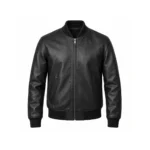
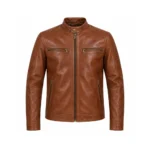
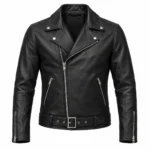
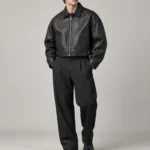
Tech packs are used for products such as T-shirts, hoodies, sweatshirts, tracksuits, joggers, jackets, jeans, sportswear, activewear, uniforms and private-label apparel. The exact information required depends on the garment, fabric, fit, decoration methods and complexity of construction.
WHY BRANDS USE TECH PACKS
Many new and growing clothing brands have a strong design idea but do not yet have one organised production document. The Stitch Expo clothing tech pack builder provides a practical starting point.
Use guided fields to record the design, fabric, fit, colour, size range, labels, artwork and manufacturing notes that might otherwise be spread across emails and chat messages.
Give the sample-development team one reference document and record updates when the fit, material, placement or construction changes.
A manufacturer can assess your requirements more effectively when the garment type, quantity, materials, artwork and technical expectations are clearly presented.
Document your brand logo, colour palette, woven labels, care labels, hang tags, packaging and private-label requirements alongside the garment specification.
Keep notes and product information together so approved changes can be carried into the next sample or tech-pack version.
Review the completed pages and export a structured document that can be saved, discussed with your team or submitted to Stitch Expo.
APPAREL TECH PACK CHECKLIST
A production brief should contain enough information for a technical review without pretending to answer details the brand has not approved. The free builder helps you organise the following sections.
Add the brand name, style name, style code, season, garment category, intended size range, colourway, designer and website. Upload your brand logo and choose document colours for a consistent presentation.
Upload front and back mockups, fashion flats or clear product references. Add a separate note for each view so design details are not dependent on the image alone.
Record artwork width, height, location, colour references and intended application method, such as embroidery, screen printing, DTG, DTF, sublimation, appliqué, patches or heat transfer.
Describe the main fabric, composition, target weight, lining, rib, thread, zippers, drawcords, buttons, snaps and other components. Final materials remain subject to sourcing, testing and manufacturer confirmation.
Explain important seams, stitch appearance, panels, pockets, closures, hems, washes, distressing, reinforcement and finishing requirements. Include reference images when a written note is not enough.
Add the required sizes, points of measure, measurement values and tolerances. Do not copy an unrelated generic size chart without checking the intended fit, fabric behaviour and target customer.
Upload references for the main label, size label, care label, hang tag, polybag, stickers and carton markings. Add dimensions, materials, colours, placement and application notes where known.
Create additional pages for special components, close-up details, wash standards, accessories, colourways, packaging arrangements or any requirement unique to your product.
SIMPLE GUIDED WORKFLOW
Start with the garment type, style information, target sizes, colourway, fabric direction and brand identity.
Add your own mockups, flat sketches, artwork, label designs and reference images. Include notes for every important view.
Record materials, trims, decoration methods, construction instructions, labels, packaging and finishing expectations.
Enter the approved points of measure, base-size values, tolerances and additional sizes required for the product.
Check the live document preview, hide incomplete pages if necessary, download your tech pack or send it to Stitch Expo with a manufacturing message.
BUILT FOR INTERNATIONAL CLOTHING BRANDS
Stitch Expo works with apparel businesses and clothing-brand founders in the United States, United Kingdom, Canada, Australia, Europe and other international markets. The online builder gives every user the same guided workflow and creates a document that can be reviewed across locations and time zones.
You can use inches or centimetres, identify Pantone references where available, attach your own artwork and explain the intended product in clear English. International manufacturing still requires confirmation of material availability, quantities, commercial terms, sampling requirements, shipping and import responsibilities.
PRODUCT TYPES
Complex products may require additional pages, specialist pattern development or support from a technical designer. Use custom pages to add construction diagrams, component close-ups, test requirements or other information specific to your garment.
COMMON PROBLEMS TO AVOID
A visual can communicate the overall idea, but it may not explain the fabric, construction, artwork size, label placement or fit.
“Oversized” or “boxy” describes a direction, not a complete size specification. Confirm actual garment measurements and tolerances.
Specify the intended decoration size and placement instead of asking the factory to estimate it from the mockup.
Use clear style codes, revision dates and approved files so an outdated instruction is not mistaken for the current requirement.
Fabric descriptions, colour references and trim requests must be checked against minimum quantities, availability and performance needs.
Sampling often reveals adjustments. Update the tech pack after approved changes so the latest document reflects the intended product.
FROM TECH PACK TO SAMPLE DEVELOPMENT
After completing your document, you can submit it to Stitch Expo for a manufacturing review. Our team can assess the product category, materials, decoration methods, construction direction, quantities and missing information before confirming whether the project can move toward sampling.
Submitting a tech pack is a request for review, not automatic production approval or a guaranteed quotation. Final feasibility, minimum quantities, sample cost, production pricing and lead time depend on the confirmed specification.
FREQUENTLY ASKED QUESTIONS
Yes. You can start the Stitch Expo tech pack builder without an account, enter your product information and prepare a downloadable document. A verified tool account is needed when you want to save projects online and access them later from another device.
No. You can upload images created with your preferred design software or clear hand-drawn references. However, clean technical flats and high-resolution artwork help manufacturers interpret the design more accurately.
Yes. Upload your own front, back, label, artwork and detail images. Add notes and dimensions beside the relevant images so the document communicates more than appearance alone.
No. Automatically guessing measurements could produce an incorrect fit. Enter measurements you have approved, use a correctly measured reference garment or work with a technical designer and manufacturer to develop the size specification.
Yes. The builder can organise information for many apparel categories. Use custom pages for product-specific details such as hood construction, zipper specifications, panel diagrams, pocket construction, wash standards or performance materials.
No. The exported document is a structured production-planning file. Measurements, grading, fabrics, trims, construction, artwork feasibility and commercial requirements must be reviewed and confirmed before sampling or production.
You can submit the completed document to Stitch Expo for review. If the project is suitable, the team can clarify missing information and discuss sampling, minimum quantities, pricing, production and shipping requirements.
Yes. The tool is browser based and can be used internationally. Your final manufacturing and shipping arrangements will depend on the project specification, destination and agreed commercial terms.
START ORGANISING YOUR PRODUCT
Add your brand, garment views, materials, measurements, labels, artwork and production notes in one guided workflow.
Create Your Free Clothing Tech Pack